The world of content creation is booming. More people are making videos, reels, and podcasts than ever before. But getting started can feel overwhelming. There are so many gadgets out there. The good news is that you do not need a lot of expensive gear to create professional-looking content.
This guide covers the best gadgets for content creators in 2026. We break down the essentials into categories. Some tools are meant for beginners on a budget. Others are for creators who want to level up their production quality.
The Three Essentials: Audio, Video, Lighting
Before we get into specific gadgets, remember this. Content creation comes down to three core areas. Get these right and your content will improve instantly.
- Audio is often more important than video. Bad audio ruins even the most beautiful footage . People will forgive a slightly grainy image, but they will not watch a video with bad sound.
- Video is what people see. It does not have to be perfect. A stable, clear image goes a long way.
- Lighting makes everything look better. Even a cheap camera looks good with proper lighting .
Read More: Latest Smart Wearable Gadgets in 2026: Top Picks and Guide
Audio: The Most Important Upgrade
Do not skip this. The difference between a phone microphone and a dedicated mic is night and day.
DJI Mic Mini
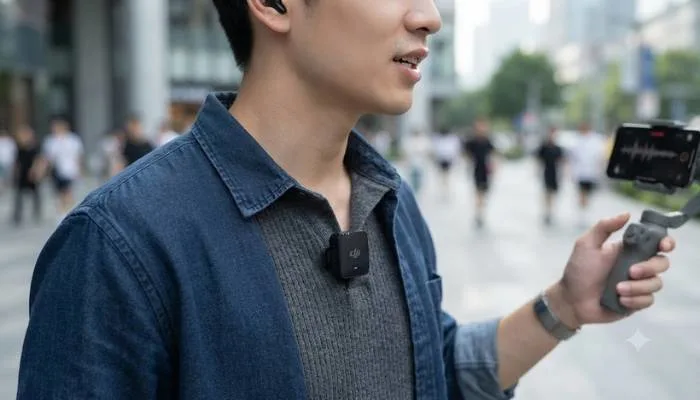
The DJI Mic Mini is one of the best wireless mic systems for creators . It is small, affordable, and easy to use. The transmitter clips onto your shirt. It does not pull your collar down like heavier mics .
The Mic Mini records clean audio with two levels of noise cancellation . Its battery lasts about 11.5 hours. The charging case gives you around 48 hours of total battery life .
Hollyland Lark M2
The Hollyland Lark M2 is a wireless microphone system that travel vloggers love . The transmitter weighs only 9 grams . It offers 48 kHz, 24-bit high-fidelity audio and comes in a compact charging case . Its noise cancellation handles outdoor and crowd noise well. I have used it at car events and conferences without issues .
Ubon Creator Series Wireless Mics
If you are just starting out, Ubon's Creator Series microphones are worth a look . They are plug-and-play. There is no complex pairing or settings to figure out. You can start recording right away . The audio quality is solid for casual creators. They also have good battery life for longer sessions .
Video: Your Phone Is Enough
Many creators think they need a $2,000 camera to make good content. That is not true. The iPhone 17 Pro or similar flagship devices are powerful tools . The iPhone 17 Pro has a 56 percent larger sensor and better low-light performance . For video, it supports 4K 120 fps Dolby Vision recording and Final Cut Camera 2.0 .
With the right accessories, your phone can replace a dedicated camera .
DJI Osmo Mobile 8
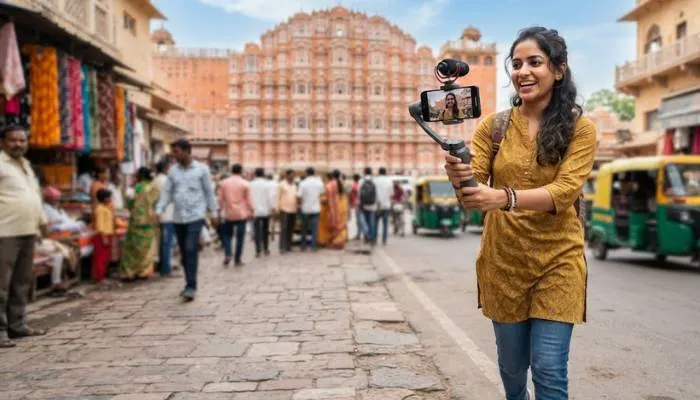
This is a smartphone gimbal that stabilizes your videos . It keeps your footage steady when you are walking or moving. The Osmo Mobile 8 has 360-degree pan rotation and direct Apple DockKit integration .
One creator used the Osmo Mobile 8 with the DJI Mic Mini to turn an iPhone into a pro-grade video rig. It made shaky footage look intentional and solved audio problems .
DJI Osmo Pocket 3 Creator Combo
This is not a phone accessory but an all-in-one vlogging camera . It is tiny. It shoots 4K at 120 fps with three-axis mechanical stabilization . Many creators name this as their personal essential. Mashable reports that they saw many people using it at VidCon 2025 .
SmallRig Phone Cage and Rode Phone Cage
These phone cages turn your phone into a full camera rig . They let you attach lights, microphones, and other accessories. SmallRig's kit has cold-shoe mounts and T-mount lens adapters . Rode's Phone Cage works with MagSafe iPhones and has 33 mounting points .
Lighting: You Can Start for Free
Lighting is the easiest thing to get right without spending money. Natural window light is often better than cheap artificial lights used poorly . Position yourself facing a window. Place a white foam board on the opposite side to fill in shadows .
Elgato Keylight
If you want to buy a light, the Elgato Keylight is a good choice . It is 2800 lumens. It is bright enough to fill a small home studio. The adjustable color temperature lets you find a hue that looks natural. I rarely set mine above 30 percent brightness .
Amaran Ray 60c
This is a more versatile light . It is compact yet powerful. It has RGB lighting and comes with a softbox. You can also buy a battery accessory to make it fully portable. This is great for outdoor shoots .
Ring Lights
Ring lights are a favorite for beauty and fashion creators . They provide even, flattering frontal light. A basic 10-inch ring light with adjustable color temperature is a good budget option .
You May Also Read: Best Rechargeable Travel Gadgets for Every Trip in 2026
Storage and Power
Creating content creates large files. You need reliable storage.
SanDisk 1TB Portable SSD
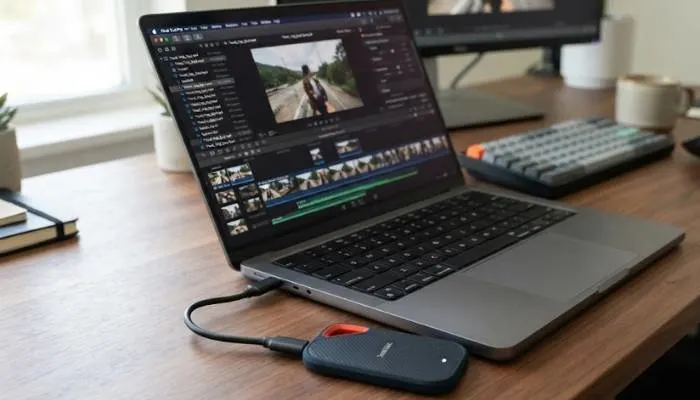
Small, fast, and reliable. This is a great option for backing up footage and storing large video files . A portable SSD is one of the most important investments for any creator .
Anker Laptop Power Bank
Long shoots drain batteries. The Anker Laptop Power Bank has a 25,000mAh capacity. It can charge up to four devices at once, including a laptop . It has two built-in USB-C cables and a smart display that shows remaining charge .
The Bottom Line
You do not need to spend a lot of money to become a content creator. Good gadgets help, but they are not everything. Start with the basics: a good microphone, stable video, and proper lighting.
Your smartphone is powerful enough to handle the video part. Invest in audio first. Then add a gimbal and lights as you grow. The most important thing is to start creating and publishing. Gear comes second .
FAQs
1. What gadgets do content creators need to start?
Start with these three things. A microphone for clear audio. A tripod or gimbal for stable video. A ring light or LED panel for better lighting. If you are on a tight budget, start with the microphone. It is the most important upgrade.
2. Which microphone is best for beginners?
The DJI Mic Mini is easy to use and affordable. The Ubon Creator Series mics are also good for beginners. They are plug-and-play with no complex setup.
3. Is a smartphone camera good enough for content creation?
Yes. Modern smartphones like the iPhone 17 Pro can shoot stunning video. The camera quality is good enough for most creators. A gimbal and a mic are more important than a new camera .
4. What is the best gimbal for iPhone creators?
The DJI Osmo Mobile 8 is a top choice. It offers 360-degree pan rotation and works with over 200 iOS apps . It keeps your footage stable and smooth.
5. What is the best laptop for video editing?
The ASUS ProArt P16 and P14 are great choices. They have NVIDIA RTX Spark chips and OLED displays. They are designed for AI-driven creative workflows .
6. How can I get good lighting on a budget?
Start with natural window light. Sit facing a window. Use a white foam board to bounce light back onto your face. This will make your footage look much better .
7. Which editing software should I use?
DaVinci Resolve is a powerful and free option. It is used by professionals and has no quality ceiling. CapCut is great for quick mobile edits . iMovie is a simple option for Mac users.
8. What is the most essential accessory for travel vlogging?
A portable power bank is essential. It ensures you can film all day without running out of battery. The Anker Laptop Power Bank is a good option .
9. What is the best storage solution for creators?
A portable SSD is a must. The SanDisk 1TB Portable SSD is reliable and fast. It gives you enough space to store all your footage .