Posting without a plan is chaos. You forget what to post. You repeat yourself. You miss important dates. A content planner fixes this. It keeps your ideas in one place. It shows you what is coming next. It helps you stay consistent. The good news? You do not need to pay for this. There are excellent free social media content planning tools available right now. Some are full scheduling apps. Others are simple templates. Buffer, smart Post, planable, google Sheets, and notion. Each one works, each one is free.
This guide covers the best options. Pick the one that fits how you work then start planning your content will thank you.
Best Free Social Media Content Planning Tools
These apps let you plan, schedule, and organise your content without paying.
Buffer
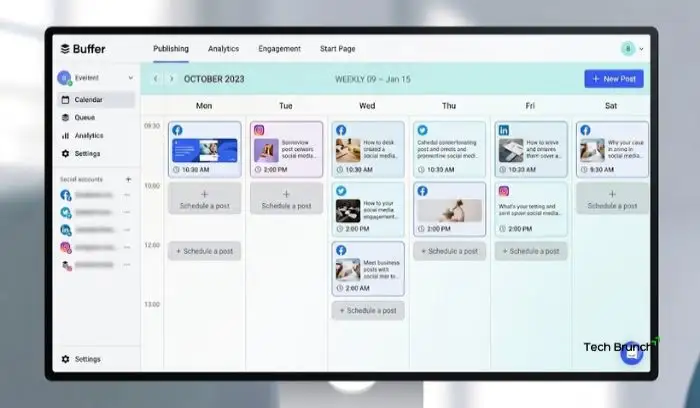
Buffer is one of the most established free tools. It has over 57,000 reviews on Android with a 3.9 rating . The free plan lets you schedule posts across multiple platforms, including Instagram, Facebook, TikTok, LinkedIn, and Bluesky .
What you get for free:
- Schedule and publish posts ahead of time
- Visual social media calendar for a bird's-eye view of your content
- Cross-post content across platforms
- Save and organise ideas in a central hub
- Basic analytics to see what works
Buffer is a solid choice if you want a simple scheduler with a clean interface. The free plan has limits on the number of posts and channels, but it is enough for individuals and small creators.
Read More: Social Media Engagement Tips for Beginners: Build a Real Audience Without Ads
Smart Post
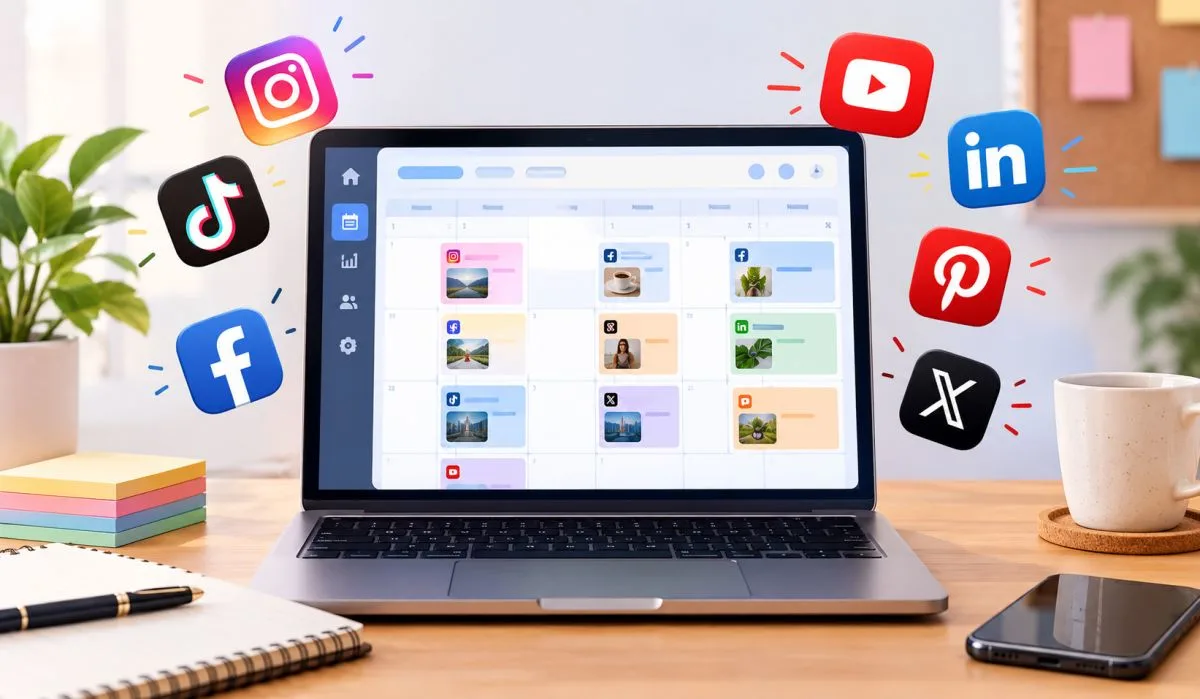
Smart Post is another free scheduler with a strong feature set . It supports a wide range of platforms, including Bluesky, Threads, TikTok, Instagram, Facebook, X, Pinterest, and LinkedIn .
What you get for free:
- Plan, preview, and schedule posts
- AI suggestions for post text based on your topic
- Free stock photos via Pixabay and GIFs via Giphy
- Visual calendar view
- Organise ideas in a central hub
Smart Post is a good alternative to Buffer. The AI suggestions and stock photo integration are useful bonuses for beginners .
Planable
Planable is built for collaboration. It is ideal if you work with a team or a client. The free plan gives you 50 posts forever, with no card required .
What you get for free:
- Schedule and publish to 9 platforms
- Preview posts in Calendar, Grid, or Feed view
- Collaborative workflow with comments and approvals
- AI-powered suggestions for content
- Drag-and-drop scheduling
Planable is the best free option if you need to get approval from someone else before posting. The 50-post limit is generous for a small operation .
Free Social Media Planner Template
Sometimes you do not need an app. You need a structure. A free social media planner template gives you that. You fill it in. You follow it. You stay organised.
Buffer's Social Media Calendar Templates
Buffer offers a range of free templates, including weekly and monthly calendars . You can download them as PDFs or edit them in Canva. There is also a Notion template and a Google Sheets version .
What you get:
- Simple weekly and monthly calendar layouts
- Editable Canva versions (free account required)
- Notion template for storing captions and media
- Google Sheets template for full customisation
The Google Sheets option is the most flexible. You can add columns for platform, status, and notes. You can colour-code everything. And it lives in the cloud, so you can access it anywhere .
Asana's Social Media Calendar Template
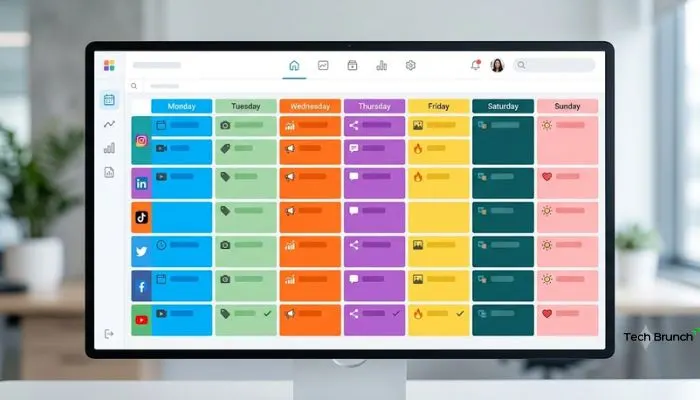
Asana is a project management tool, and its free social media calendar template is built for teams .
What you get:
- Pre-built structure with custom tags for platform, assets, and schedule
- Calendar view for seeing your whole posting lineup
- Task dependencies for approvals and handoffs
- Centralised content repository for copy, images, and hashtags
Asana is overkill for a solo creator. But if you are managing multiple people or campaigns, the free template is genuinely useful .
Google Sheets Templates
Both Search Engine Journal and Backlinko offer free Google Sheets content calendars . These are straightforward spreadsheets with tabs for planning, production, and ideas.
What you get:
- Monthly tabs for planning content
- Dropdown menus for platforms and status
- Fields for titles, descriptions, links, and publish dates
- Colour-coded deadlines to spot overdue tasks
If you like spreadsheets, this is the simplest way to start. Copy the template. Fill in your topics. Start posting .
You May Also Read: Latest Social Media Marketing Trends: What’s Changing in 2026
Free Content Planner Template
A content planner is broader than a social media calendar. It covers blogs, videos, emails, and social posts in one place. These free templates help you plan everything.
Notion's Simple Content Planner
Thomas Frank's Simple Content Planner is a free Notion template designed for creators . It is a simplified version of his paid system, used by over 5,000 creators.
What you get:
- Dashboard showing all content projects in progress
- Templates for scripts, outlines, research, and publishing checklists
- Research database for collecting topic ideas
- Swipes database for saving visual inspiration
This is ideal if you create content across multiple formats. You can plan a YouTube video, a blog post, and a social campaign in the same workspace .
Backlinko's Content Calendar Template
Backlinko's free template is built for content marketing teams . It includes five tabs: Master View, SEO & Briefing, Production, Post-Production, and Ideas Bank.
What you get:
- Master View for tracking every piece of content
- SEO & Briefing tab for research and outlines
- Production tab for managing writers and editors
- Post-Production tab for promotion planning
- Ideas Bank for capturing new topics
This is a comprehensive system. It is more than most people need, but if you are serious about content, it is worth a look .
Social Media Calendar Template: What to Include
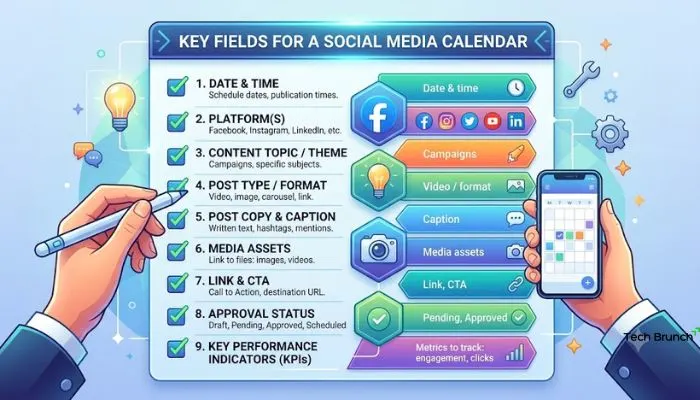
Whether you use an app or a spreadsheet, a good social media calendar template should have these fields.
- Date and time: When will this post go live?
- Platform: Where is it being posted? Instagram, LinkedIn, TikTok?
- Content type: Is it a photo, video, carousel, or text post?
- Caption: The text that goes with the post.
- Hashtags: Any tags you plan to use.
- Status: Is it an idea, in progress, ready, or published?
- Notes: Anything else you need to remember.
You do not need all of these. Start with the basics. Add more as you grow.
FAQs
1. What is the best free social media content planning tool?
Buffer is the most established free scheduler. It covers major platforms and has a clean calendar. Smart Post is a good alternative with AI suggestions. Planable is best for team collaboration .
2. Are there free social media planner templates?
Yes. Buffer offers free weekly and monthly templates in PDF, Canva, Notion, and Google Sheets formats. Asana has a free team calendar template. Search Engine Journal and Backlinko also provide free Google Sheets templates .
3. Can I plan social media without paying for a tool?
Absolutely. A Google Sheets template costs nothing and works well for individuals. Buffer's free plan handles scheduling for small accounts. You do not need to spend money to stay organised.
4. What should a content planner template include?
At minimum: date, platform, content type, caption, and status. Add hashtags, notes, and links if you need them. Keep it simple so you actually use it .
5. Is Notion good for social media planning?
Yes. Notion is highly customisable. You can build a content calendar with databases for ideas, captions, and media. Free templates like Thomas Frank's Simple Content Planner give you a head start .
6. How do I choose between an app and a template?
Choose an app if you want to schedule posts directly and see analytics. Choose a template if you prefer full control and do not mind posting manually. Apps save time. Templates save money.
7. Can I use these tools for multiple social media accounts?
Yes. Buffer, Smart Post, and Planable all support multiple accounts. The free plans have limits on how many accounts or posts you can manage, but they work for small operations.
8. What is the easiest free planner for beginners?
Buffer's free plan is the easiest to start with. The interface is simple. The calendar is visual. And it handles scheduling automatically. If you prefer spreadsheets, a Google Sheets template is the simplest option .