Every business wants an app now. Every startup talks about it but building one is not easy. It takes time money and the right choices. Mobile app development is not just writing code. You pick a framework. You design screens. You test everything. You launch. Then you update. Simple? No, but doable. Flutter makes it easier.
One codebase for both iOS and Android. Saves time, Saves money. AI tools help write code faster testing is quicker. But human developers still matter. Their creativity problem solving. So what should you know before you start? Let me explain simply. No technical talk. Just clear facts.
What is Mobile App Development?
Mobile app development means building software for phones and tablets. You write code. You design screens. You test everything. Then you launch it on app stores. People download it. They use it. You update it. That is the cycle.
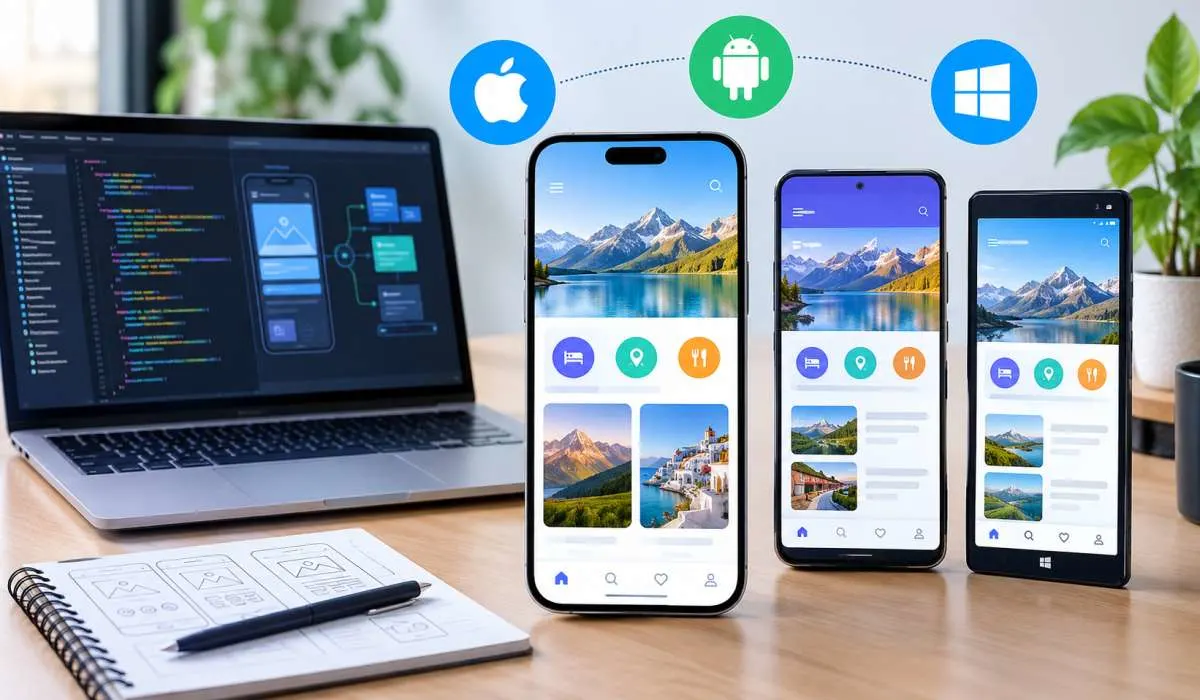
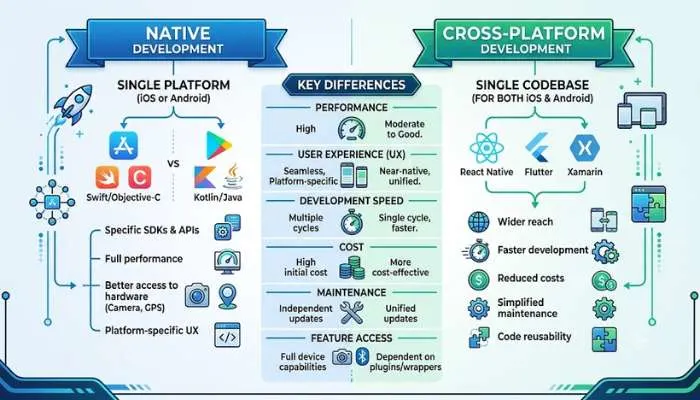
There are two main types of apps. Native apps are built for one platform only. iOS apps use Swift. Android apps use Kotlin. Cross-platform apps work on both. You write code once. It runs everywhere. That is where Flutter comes in.
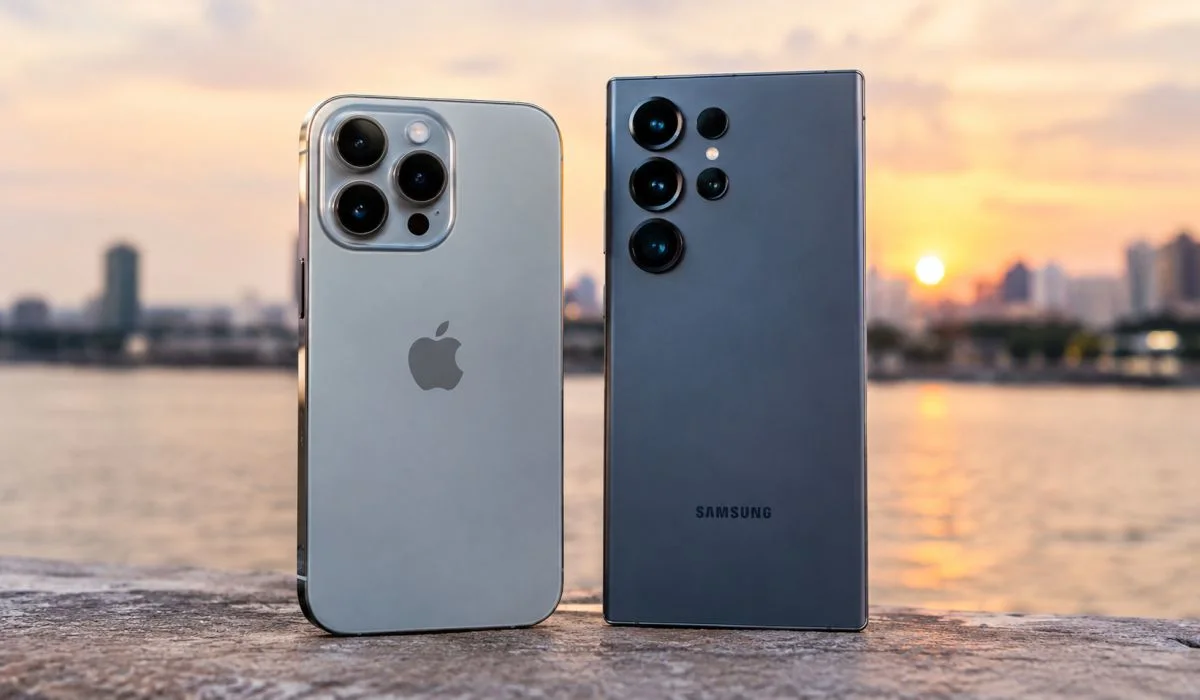
Read More: Android vs iPhone for Camera: Which One Takes Better Photos?
Types of Apps You Can Build
- Native Apps
Built for one platform. Best performance. Best user experience. But costs more. Takes longer. You need two teams. One for iOS. One for Android. - Cross-Platform Apps
One codebase. Works on both iOS and Android. Saves time. Saves money. Flutter and React Native are popular choices. Performance is close to native now. Most businesses choose this. - Web Apps
Run in browser. Not real apps. No app store needed. But limited features. Cannot use camera or GPS fully. Good for simple things. - Hybrid Apps
Mix of web and native. Wrapped in a shell. Older approach. Losing popularity now.
Mobile App Development Software
What tools do developers use? Here are the main ones.
- Android Studio
Official tool for Android. Free. Made by Google. Good for native Android apps. Has emulator. Testing tools. Everything you need. - Xcode
Official tool for iOS. Free. Made by Apple. Only works on Mac. Needed for iPhone apps. - Visual Studio Code
Popular code editor. Free. Works for everything. Flutter. React Native. Native code. Lightweight. Fast. Most developers use this. - IntelliJ IDEA
Good for Android. Also good for Flutter. Paid version available. Community version free. - Xamarin
Microsoft tool. Uses C#. Good for Windows developers. Now part of .NET MAUI.
Mobile App Development Frameworks
Frameworks make development faster. They give ready-made parts. You do not build everything from scratch.
- Flutter
Made by Google. Uses Dart language. One codebase for iOS and Android. Very popular. Fast. Beautiful apps. Hot reload feature saves time. You see changes instantly. Big community. Many packages available. - React Native
Made by Meta. Uses JavaScript. One codebase for both platforms. Huge community. Many developers know JavaScript. Good choice if you already have web developers. - Kotlin Multiplatform
Made by JetBrains. Uses Kotlin. Share code between platforms. Native performance. Growing fast. Good for Android-first teams. - SwiftUI
Apple's framework. For iOS only. Modern. Declarative. Easy to learn. But Apple only. - Jetpack Compose
Google's framework. For Android only. Modern. Declarative. Replaces old XML layouts. Easier to build UI.
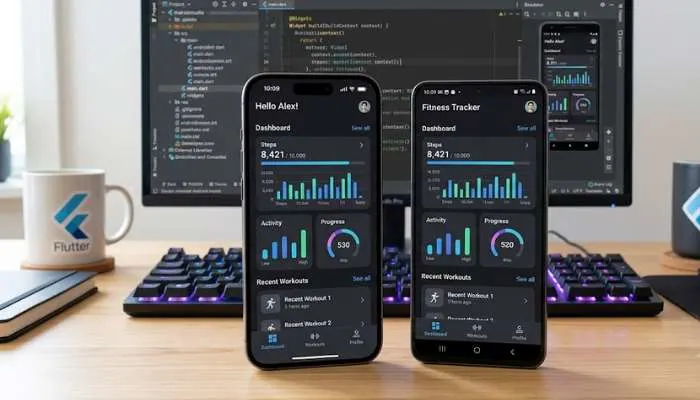
Mobile App Development Flutter – Why It Matters
Flutter is the most talked about framework right now. Here is why.
- One Codebase
Write once. Run on iOS. Run on Android. Run on web. Run on desktop. Even on embedded devices. Saves huge time. - Fast Development
Hot reload shows changes instantly. No waiting. No rebuilding. Developers love this. Fix bugs in seconds. - Beautiful UI
Flutter widgets look great. Custom animations easy. Apps look premium. Users notice. - Good Performance
Compiles to native code. Not a web view. Runs smooth. Games work well. Heavy apps work well. - Big Community
Thousands of packages. Ready-made solutions. Help available. Google backs it. Updates regular. - Used By Big Companies
Google Pay. Alibaba. BMW. eBay. These companies use Flutter. Not just startups. - Downside?
Apps are bigger in size. Not as small as native. But difference is shrinking. For most businesses, not a problem.
Mobile App Development AI
AI is changing how apps are built. And what apps can do.
- AI in Development
Tools like GitHub Copilot write code for you. You type a comment. It suggests code. Saves hours. Finds bugs. Suggests fixes. Makes developers faster. - AI in Apps
Apps now have AI features. Chatbots answer questions. Photo apps edit with words. Health apps track patterns. Finance apps detect fraud. AI makes apps smarter. - AI for Testing
AI tests apps automatically. Finds bugs humans miss. Runs thousands of tests. Saves time. Improves quality. - AI for Personalisation
Apps learn what users like. Show relevant content. Suggest products. Recommend actions. Users stay longer. - AI for Language
Apps translate in real time. Understand voice commands. Read text from images. Break language barriers.
Mobile App Development Company – How to Choose
You can build yourself. Or hire a company. Here is how to pick.
- Check Their Portfolio
Ask for apps they built. Download them. Use them. See if they work well. Look for apps similar to your idea. - Check Reviews
Look on Clutch. GoodFirms. Google Reviews. See what clients say. Avoid companies with many complaints. - Ask About Technology
Do they use Flutter? React Native? Native? Pick what fits your needs. Do not let them force old tech. - Ask About Timeline
How long will it take? Good companies give realistic timelines. Bad ones promise too fast. Then delay. - Ask About Cost
Fixed price or hourly? What is included? What is extra? Get everything in writing. No surprises later. - Check Post-Launch Support
Apps need updates. Bug fixes. New features. Ask about support. Monthly cost? Response time? Get it in contract. - Meet the Team
Talk to developers. Not just sales people. See if they understand your idea. Good communication matters. - Start Small
Do not build everything at once. Start with MVP. Minimum Viable Product. Basic version. Test with users. Then add features. Saves money. Reduces risk.
You May Also Read: How to Update Mobile Phone Software: A Simple Step-by-Step Guide
Cost of Mobile App Development
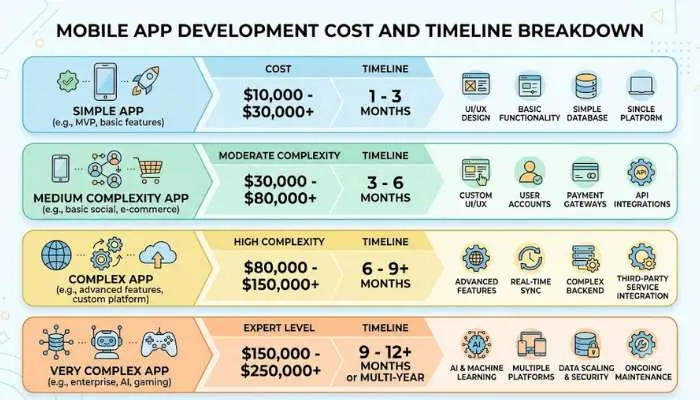
- Simple app: 50,000 to 2,00,000. Takes 1-2 months.
- Medium app: 2,00,000 to 8,00,000. Takes 3-6 months.
- Complex app: 8,00,000 to 50,00,000+. Takes 6-12 months.
Cost depends on features. More features. More cost. More platforms. More cost. AI features add cost. Payment gateways add cost. Backend servers add cost.
Freelancers are cheaper. But less reliable. Companies cost more. But more professional. Choose based on your budget and needs.
Final Words
Mobile app development is not easy. But it is doable. Pick the right framework. Flutter is great for most businesses. Pick the right tools. Android Studio. Xcode. VS Code. Pick the right company. Check their work. Ask questions.
Start with MVP. Launch fast. Get user feedback. Then improve. Do not wait for perfect. Perfect never comes. Launch. Learn. Improve. That is the way.
AI is making development faster. Use it. But do not depend on it fully. Human developers still matter. Their creativity. Their problem solving. AI helps. Humans build.
Simple right? Now you know the basics. Go build something great.
FAQs
1. What is mobile app development?
Making apps for phones. That is it. You write code. You design screens. You test. You launch. Then you keep updating. Two types. Native apps work on one platform only. Cross-platform apps work on both iOS and Android. Native is faster. Cross-platform is cheaper. Most businesses pick cross-platform now.
2. Which framework should I pick?
Flutter. For most people. Made by Google. One code for both phones. Fast to build. Looks good. Big community. React Native also fine. Uses JavaScript. Good if your team knows web stuff. Kotlin Multiplatform growing. Pick what your team can handle.
3. Is Flutter actually good?
Yes. Really good. Write once. Runs on iPhone and Android. Hot reload shows changes fast. Saves hours. Performance close to native. Google Pay uses it. Alibaba uses it. BMW uses it. Not just small startups. Downside? App size bigger. But not a big problem for most.
4. How much money does an app need?
Depends. Simple app: 50,000 to 2 lakh. 1-2 months. Medium app: 2 lakh to 8 lakh. 3-6 months. Complex app: 8 lakh to 50 lakh+. 6-12 months. More features means more money. AI features cost extra. Payment gateway costs extra. Server costs extra.
5. How long does building take?
Simple app: 1-2 months. Medium: 3-6 months. Complex: 6-12 months. Depends on features. Depends on team size. Depends on platforms. iOS only is faster. Both platforms take longer. Do not build everything at once. Start with MVP. Launch. Add later.
6. What is MVP?
Minimum Viable Product. Basic version. Only main features. No extras. Launch it. Give to users. See what they like. See what they ignore. Then add more. Saves money. Reduces risk. Do not wait for perfect. Perfect never comes. Launch. Learn. Improve.
7. How to pick an app company?
Check their work. Download apps they made. Use them. Check reviews. Clutch. GoodFirms. Google. Ask about tech. Ask about time. Ask about cost. Get everything written down. Check support after launch. Meet the developers. Not sales guys. Start small. Test with MVP first.
8. Is AI changing app building?
Yes. AI writes code now. GitHub Copilot suggests lines. Saves hours. AI finds bugs. AI tests apps. Runs many tests fast. AI makes apps smart. Chatbots. Photo editing. Fraud detection. Personalisation. But humans still needed. Creativity. Problem solving. AI helps. Humans build.