The Tech Brunch The Tech Brunch

The Tech Brunch

The Tech Brunch

  • Home
  • Startups
  • Social
  • Enterprise
  • Gadgets
  • Greentech
  • Mobile
  • Fundings and exits
The Tech BrunchThe Tech Brunch
  • Startups
  • Social
  • Enterprise
  • Gadgets
  • Greentech
  • Mobile
  • Fundings and exits
Home > Mobile > Google highlights accessible locations with new Maps feature
Mobile

Google highlights accessible locations with new Maps feature

Published: Apr 14, 2022

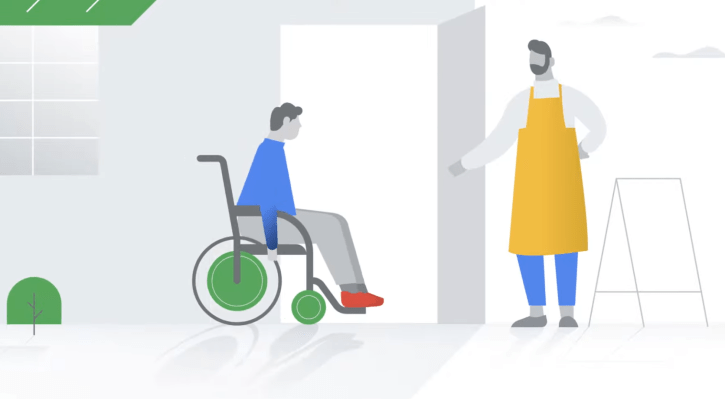
Google has announced a new, welcome and no doubt long asked-for feature to its Maps app: wheelchair accessibility info. Businesses and points of interest featuring accessible entrances, bathrooms and other features will now be prominently marked as such.

Millions, of course, require such accommodations as ramps or automatic doors, from people with limited mobility to people with strollers or other conveyances. Google has been collecting information on locations’ accessibility for a couple years, and this new setting puts it front and center.

The company showed off the feature in a blog post for Global Accessibility Awareness Day. To turn it on, users can go to the “Settings” section of the Maps app, then “Accessibility settings,” then toggle on “Accessible places.”

\"\"

This will cause any locations searched for or tapped on to display a small wheelchair icon if they have accessible facilities. Drilling down into the details where you find the address and hours will show exactly what’s available. Unfortunately it doesn’t indicate the location of those resources (helpful if someone is trying to figure out where to get dropped off, for instance), but knowing there’s an accessible entrance or restroom at all is a start.

The information isn’t automatically created or sourced from blueprints or anything — like so much on Google, it comes from you, the user. Any registered user can note the presence of accessible facilities the way they’d note things like in-store pickup or quick service. Just go to “About” in a location’s description and hit the “Describe this place” button at the bottom.

You Might Also Like

How to Disable Startup Programs on Windows and Mac

Best Smart Gadgets for a Safe and Easy Home

How to Use LinkedIn for Professional Networking: Simple Tips for Beginners

Top 7 Best Smartphones Under 30000 with Good Camera and Battery

Previous Article Rallyhood exposed a decade of users’ private data Rallyhood exposed a decade of users’ private data
Next Article PathSpot sells a scanner that fact checks your handwashing efficacy PathSpot sells a scanner that fact checks your handwashing efficacy

Latest News

How to Disable Startup Programs on Windows and Mac
Startups Feb 23, 2026
Best Smart Gadgets for a Safe and Easy Home
Gadgets Feb 04, 2026
How to Use LinkedIn for Professional Networking: Simple Tips for Beginners
Social Feb 04, 2026
Top 7 Best Smartphones Under 30000 with Good Camera and Battery
Mobile Jan 30, 2026
Venture Debt vs Venture Capital: Which Is Better for Startups?
Fundings and exits Jan 30, 2026
Enterprise AI Adoption Trends 2026: How Businesses Are Using AI to Stay Ahead
Enterprise Jan 06, 2026
How to Measure Carbon Footprint with AI Technology
Greentech Jan 06, 2026
Tech Business Startup Ideas That Will Dominate the Next 5 Years
Startups Dec 29, 2025
Top 10 AI Tools Every Social Media Marketer Must Use in 2026
Social Dec 29, 2025
Revolutionize Your Cooking with 3D Printed Kitchen Gadgets
Gadgets Dec 19, 2025
about us

  • Startups
  • Social
  • Enterprise
  • Gadgets
  • Greentech
  • Mobile
  • Fundings and exits
How To Invest In Indian Greentech Companies
Greentech May 06, 2025
Indian Greentech Innovations For Clean Water
Greentech May 06, 2025

© Copyright 2026 thetechbrunch.com All Rights Reserved.

  • About Us
  • Contact Us
  • Privacy Policy
  • Terms And Conditions