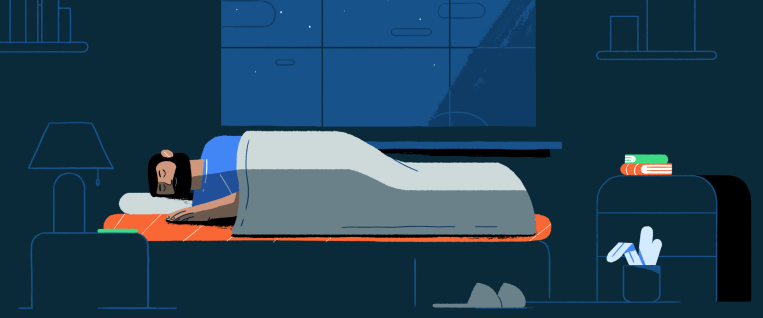
At Google’s 2018 I/O developer conference, the company debuted a new suite of “digital well-being” aimed at helping Android users better manage their screen time. At its 2019 event, it expanded its tools’ capabilities and improved the related parental controls. Although Google I/O isn’t taking place this year due to the COVID-19 pandemic, the company is once again refreshing its well-being toolset. This year, the focus is a timely one as Google will roll out new bedtime tools to help people get better sleep.
Google reports seeing a rise in sleep-related search queries like “insomnia” and “can’t sleep” in April and May, as the coronavirus crisis led to increased stress and anxiety, which can disrupt sleep.
Android’s “Bedtime” mode, previously known as “Wind Down,” uses Do Not Disturb to silence calls, texts, and notifications, while grayscale fades the colors on your phone to black and white, to reduce the draw to your screen. With the updates to this feature, Google is making it easier to customize when and how Bedtime mode is enabled.
Based on your bedtime schedule, you can now opt to have it automatically turn on after your phone is plugged into its charger. You can also add Bedtime mode to your Android phone’s Quick Settings, to instantly turn it on or off with a single tap. And if you need a few more minutes, you can choose to pause Bedtime mode without needing to adjust your schedule.
The update to Digital Wellbeing, which included the ability to automatically enable Bedtime mode when the phone is charging and add it to Quick Settings, actually rolled out earlier in May. But Google is announcing the features today as part of its other Bedtime mode changes.

The Clock app on Android is also being updated with a new Bedtime tab.
Here, you can set daily sleep and wake times. In the app, you’ll be able to see a preview of your calendar for the next day, and then tally the total number of hours of sleep you’d get. This way, you can adjust your bedtime if needed to sync up with tomorrow’s schedule — even if that means diverting from your typical bedtime schedule.

In addition, users will receive a reminder before bedtime and have the option to play calming sounds from Calm, Spotify, YouTube Music, and other sources. If they have Digital Wellbeing installed, they can pair with Bedtime mode to limit the interruptions during sleep.
The app will also display how much time you’re spending and which apps you’ve used after your set bedtime.
Google additionally suggested users looking for better sleep can try the “Sunrise Alarm” option that gradually brightens your screen to help you wake up more gently. This visual alarm system will begin 15 minutes prior to your audio alarm. Users can also set their favorite songs as an alarm to make the alarm less jarring, Google recommends.
The sunrise alarm was first introduced with the Pixel 3 and Pixel Stand in 2018. But with the update, you will no longer need the stand to use the feature — it’s a part of the new Bedtime tab in the Clock app.

Related to today’s launch of new bedtime features, Google noted it recently added new YouTube bedtime reminders. It also supports a daily bedtime schedule in Andoird’s parental controls feature, Family Link.

The updated Bedtime experience is launching first on Pixel devices starting today, and will roll out to the Clock app and on other Android devices later this summer. Pixel devices will be getting a handful of other updates, as well, including Adaptive Battery.

Pixel 2 devices and newer will notify the user when the battery is set to run out, while throttling background usage to save on life. The excellent Recorder app can now be triggered with a “Hey Google” and transcripts can be saved directly to Google Docs.
The Personal Safety app introduced on the 4 is now coming to all devices, while the 3 will get car crash detection. There’s also a new Safety Check feature designed to send out alerts in potentially dangerous situations. Per Google,
For example if you’re about to go on a run or hike alone, safety check will make sure you made it back safely. If you don’t respond to the scheduled check-in, the app will alert your emergency contacts. In the event that you need immediate help or are in a dangerous situation, emergency sharing notifies all of your emergency contacts and shares your real-time location through Google Maps so they can send help or find you.
The Personal Safety app will also let users set notifications for crises, including natural disasters and other public safety concerns.