Starting a business brings a lot of moving pieces. You have products to build. You have people to hire. You have money to track. And somewhere in all that, you have customers to keep happy. Keeping track of who said what and when gets messy fast. Spreadsheets work for a while. Then they do not. You lose notes. You forget to follow up. Deals slip through the cracks.
That is where the best startup CRM software comes into the picture. It gives you one place to see every lead, every conversation, and every deal stage. Your team knows what is happening without asking around. No more digging through old emails. No more missed calls. A good CRM does the remembering for you. And the best part? Many of them start at zero cost. You can test one out today without spending a dime.
What is a startup CRM software?
A startup CRM (customer relationship management) software helps you track leads, manage customer interactions, and organize your sales process in one place. It moves you beyond messy spreadsheets and scattered notes. The right CRM gives you a clear view of every customer conversation and deal stage. This helps you close more sales without the chaos.
Read More: 30 Profitable Micro SaaS Startup Ideas for Indian Solopreneurs in 2026
When should you get a CRM for your startup?

The right time is when you have more leads than you can track in your head or a spreadsheet . For most startups, this happens somewhere between 50 and 200 contacts. It is also time when more than one person on your team is involved in selling. Starting with a free CRM costs nothing and builds the habit of tracking relationships from day one .
Best Startup CRM Software for Small Business
Here are the top choices for startups in 2026. Each one fits a different type of business.
HubSpot CRM – Best Free Option
HubSpot is the strongest starting point for most startups. Its free plan gives you unlimited contacts, deal tracking, email templates, meeting scheduling, and live chat . You get all this without paying anything. The interface is simple and your team can learn it fast .
HubSpot works best for marketing-led startups that want CRM, email, forms, and content tools in one system . It connects easily with over 2,000 apps . If you grow, you can upgrade to paid plans for more automation and features. The free plan does have limits. Complex workflows and advanced reporting require paid tiers . Data in the free plan also sits on US servers, which may matter for some businesses .
Best for: Teams that want the most generous free plan and room to grow.
Zoho CRM – Best Value for Features
Zoho CRM gives you the most features for your money. It handles leads, contacts, deals, tasks, events, reports, and workflows . It also works with other Zoho tools like email, projects, and accounting apps . This makes it a practical choice if you want several business tools from one vendor.
Zoho offers AI-powered insights and custom modules that growing teams need over time . The tradeoff is usability. Zoho has many features and setup can feel heavy for small teams . Its interface is less polished than simpler tools. But the free edition is generous, and paid plans are affordable .
Best for: Teams that want deep features and flexibility and are willing to configure the system.
Pipedrive – Best for Sales Teams
Pipedrive is built around one thing: managing your sales pipeline. It gives you a visual board to see where every deal stands . Teams adopt it fast because it focuses on active selling. You can track calls, meetings, emails, and follow-ups alongside each deal .
Pipedrive has an AI assistant that helps you nurture leads and generate emails . It also integrates with over 400 third-party apps . The downside is scope. Pipedrive is a sales CRM, not a full revenue platform. You will need separate tools for marketing campaigns, customer service, or operations . Paid plans start at $14 per user per month .
Best for: Sales-led teams that want simple visual pipeline management .
Bigin by Zoho – Best for CRM Beginners
Bigin is the smaller, simpler sibling of Zoho CRM. It targets startups and very small teams . It keeps advanced features out of the way and focuses on ease of use. You get a visual board to move deals through your sales funnel . Setup takes minutes, not days .
Bigin is budget-friendly and mobile-first . It integrates with other Zoho software. If your company grows beyond what Bigin offers, you can easily upgrade to full Zoho CRM . The free version supports 500 records and one pipeline .
Best for: Teams new to CRM who want simplicity over complex features .
Freshsales – Best Budget-Friendly Option
Freshsales offers a clean, modern interface that is easy to use . Its free plan supports up to three users with a sales pipeline, contact management, and a dashboard . Paid plans start at $9 per user per month and unlock more pipelines, custom reports, and automation .
Freshsales includes AI tools that help you predict deal outcomes and suggest next actions . It also gives you 24/5 support even on the free plan, which is rare . The base tier only supports one sales pipeline . Marketing tools are not included in the free plan .
Best for: Growing businesses that want affordable pricing with good support .
monday.com – Best for Sales and Project Management Together
monday.com started as a project management tool. It now offers a CRM product built around visual boards and automations . Its biggest advantage is continuity between sales and delivery. You can manage leads, deals, and pipelines, then connect that work to project boards in the same platform . This helps small teams avoid gaps when the same people handle both sales and client delivery.
monday.com offers a highly visual interface that feels familiar to teams used to spreadsheets or Kanban boards . It also integrates with Slack, Google Workspace, and other key tools . The tradeoff is CRM depth. It lacks advanced sales features like lead scoring and forecasting . Paid plans start at $12 per seat per month .
Best for: Small teams that want one visual system for sales and project work .
Less Annoying CRM – Best for Budget-Conscious Startups
Less Annoying CRM lives up to its name. It offers a minimalist interface that puts your data and tasks front and center . Setup is quick and the learning curve is nearly zero. It runs in browsers on both mobile and desktop devices .
The price is among the lowest of all tested products . You get lead and contact management, customizable fields, and email logging . It is not built for large teams or complex sales processes. But for a very small startup watching every dollar, it works well .
Best for: Cost-conscious teams that need simple contact management.
You May Also Read: How to get funding for startup from government – full guide for Indian founders
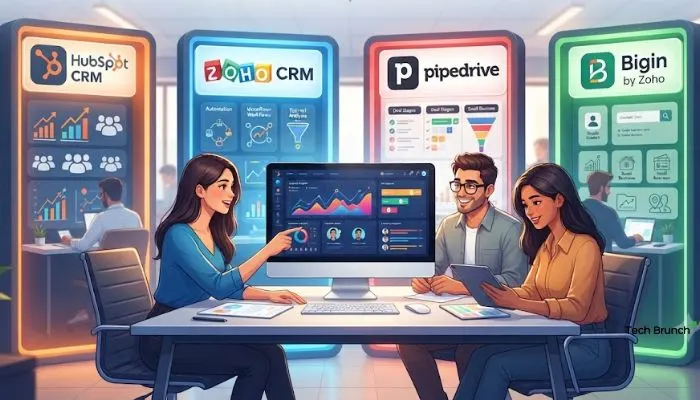
Top 10 CRM Software List
Here is a quick summary of the top CRM platforms for startups:
| CRM | Best For | Free Plan | Paid Starts At |
|---|---|---|---|
| HubSpot CRM | Overall free CRM | Yes | $9/user/month |
| Zoho CRM | Features and value | Yes | $14/user/month |
| Pipedrive | Sales pipeline management | No | $14/user/month |
| Bigin by Zoho | CRM beginners | Yes | $7/user/month |
| Freshsales | Budget-friendly growth | Yes | $9/user/month |
| monday.com | Sales and project work together | Limited | $12/seat/month |
| Less Annoying CRM | Simple and cheap | No | $15/user/month |
| Salesforce Starter | All-in-one solution | No | $7.50/user/month |
| Capsule CRM | Simple setup | Yes | $18/user/month |
| Insightly | Post-sale project management | Yes | $29/user/month |
How to Choose the Best Startup CRM Software?
Choosing the right CRM comes down to your business stage and sales process. Here is a simple way to pick.
Start with your go-to-market motion, not a feature list . If you are marketing-led, HubSpot is a strong fit. If you are sales-led, Pipedrive gives you the cleanest pipeline view . If you want maximum features per dollar and are willing to configure the platform, Zoho is your choice .
Consider these questions:
- How many people will use it? Some free plans limit users. HubSpot free supports two users . Freshsales and Zoho free support three . If you have a larger team, check user limits before you commit.
- Do you need marketing tools? HubSpot and Zoho offer integrated marketing. Pipedrive does not . If you want email campaigns, landing pages, and lead tracking in one system, pick a CRM with those tools built in.
- How complex are your sales? Simple sales fit Pipedrive or Bigin. Complex sales with multiple teams, custom data, and approval workflows may need Zoho CRM or Salesforce .
- Can you switch later? Yes, but it is not free. Migrating contacts, deal history, and communication logs takes time and risks data loss . Choose a platform that can scale with your business for two to three years. This is typically less expensive than planning to migrate .
Summary
The best startup CRM software depends on your team size, sales process, and budget. If you want a strong free plan and room to grow, HubSpot is the best choice. If you need deep features and are willing to configure the system, choose Zoho CRM. If you want simple pipeline management for your sales team, go with Pipedrive.
Start with a free plan if you can. Test the tool with your team before you commit to paid tiers. The goal is to track your customer relationships better and close more deals without adding complexity to your business.
FAQs
1. Which CRM works best for a small business just starting out?
HubSpot works best for most small businesses. Their free plan gives you unlimited contacts. You also get deal tracking and email tools. No credit card needed. Your team can learn it in one day.
2. Are there any good free CRM options out there?
Yes. HubSpot and Zoho both have free plans that actually work. HubSpot gives you more features at zero cost. Zoho lets three users use it for free. Both handle your leads and contacts well.
3. What are the top CRM tools for startups this year?
HubSpot leads the list. Zoho comes next. Then you have Pipedrive, Bigin, Freshsales, and monday.com. Less Annoying CRM and Salesforce Starter also make the cut. Capsule and Insightly round out the top ten. Each one fits different team needs.
4. What CRM is simplest for a team that has never used one?
Bigin takes the prize for simplicity. Less Annoying CRM is also very easy. Both tools keep things basic. You do not need any training. Just sign up and start adding your leads.
5. When does a startup actually need a CRM?
Get one when you have about fifty leads. Or when two people start handling sales calls. Spreadsheets stop working at that point. You will lose track of who talked to whom. A free CRM prevents that mess. Starting early saves you headaches down the road.